Realtime Edit
The Krea Team January 20, 2026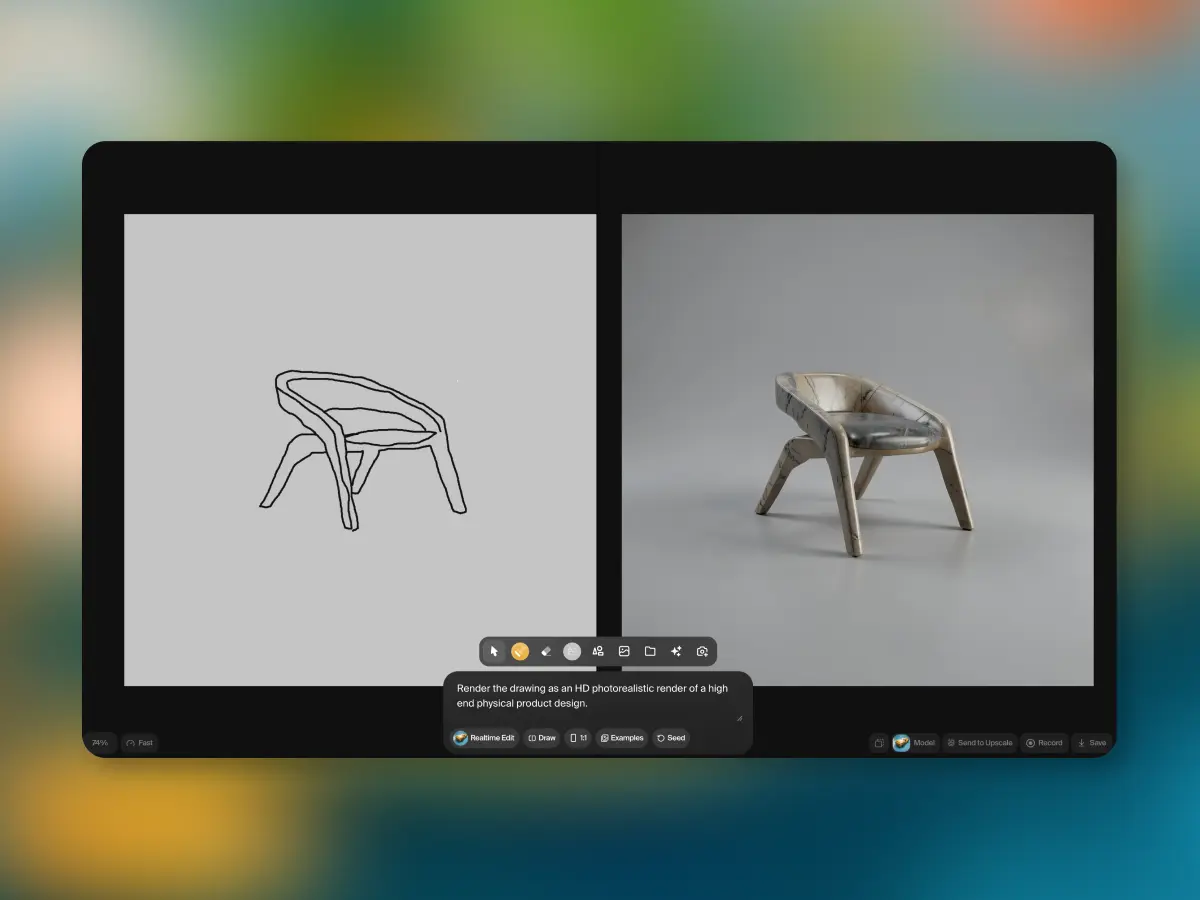
Realtime Edit is a canvas where every brushstroke updates the image instantly. Paint a shape, and the model fills it in before you lift your pen. No generate button, no loading bar. You draw and see the finished result at the same time.
For you, that means the entire prompt-wait-tweak-repeat cycle is gone. You work directly with the model at the speed of your hand. Sketch rough shapes, and they become the scene you described. Paint over something you don't like, and it corrects itself on the spot.
See it in action
Paint and see
The canvas in Realtime Edit works like any drawing tool. You pick a brush, choose a color, and paint. The difference is that each brushstroke feeds directly into the model. A rough green shape becomes a tree. A smear of blue behind it becomes sky. You don't need to be precise. The model reads your intent from context, guided by whatever prompt you've set, and fills in the rest.
Because the response is instant, you can iterate by painting over what the model gives you. If the tree is too tall, paint over the top of it with the background color and it corrects itself. If you want a figure in the foreground, block one in with a couple of strokes. The back and forth between you and the model happens at the speed of your hand, not at the speed of a progress bar.
This is useful for early exploration, when you're still figuring out composition and mood. It's also useful for precise adjustments later, when you know exactly what needs to change and you just want to point at it.
Stream anything
Realtime Edit isn't limited to what you can draw. You can stream your webcam into the canvas and watch the model restyle you live. Set the prompt to "oil painting" and your video feed becomes a moving portrait. Set it to "anime character" and it follows your gestures in that style, frame by frame, without any perceptible delay.
Screen sharing works the same way. Stream a window, a design file, a slide deck, and the model transforms it continuously. This opens up workflows that didn't exist before. You can use physical objects, hand gestures, or existing designs as input and let the model reinterpret them on the fly. The input is whatever you point the camera at or whatever is on your screen.
We built Krea around a specific idea: the most capable tools should be the simplest to use. Realtime Edit is what that looks like when you take the wait time out of AI generation entirely. The tool gets out of the way and you work directly with the model, at the speed of thought.
The Krea Team